Bloom
A multi-device employee engagement platform sold to companies as a white-label product: apps for employees on web, iOS and Android, and an HR workspace with analytics, surveys and reviews. I built it across the whole stack and was the single point of contact for the client companies.
- Role
- Fullstack Developer & Client Lead
- Year
- 2021
Engagement you can measure
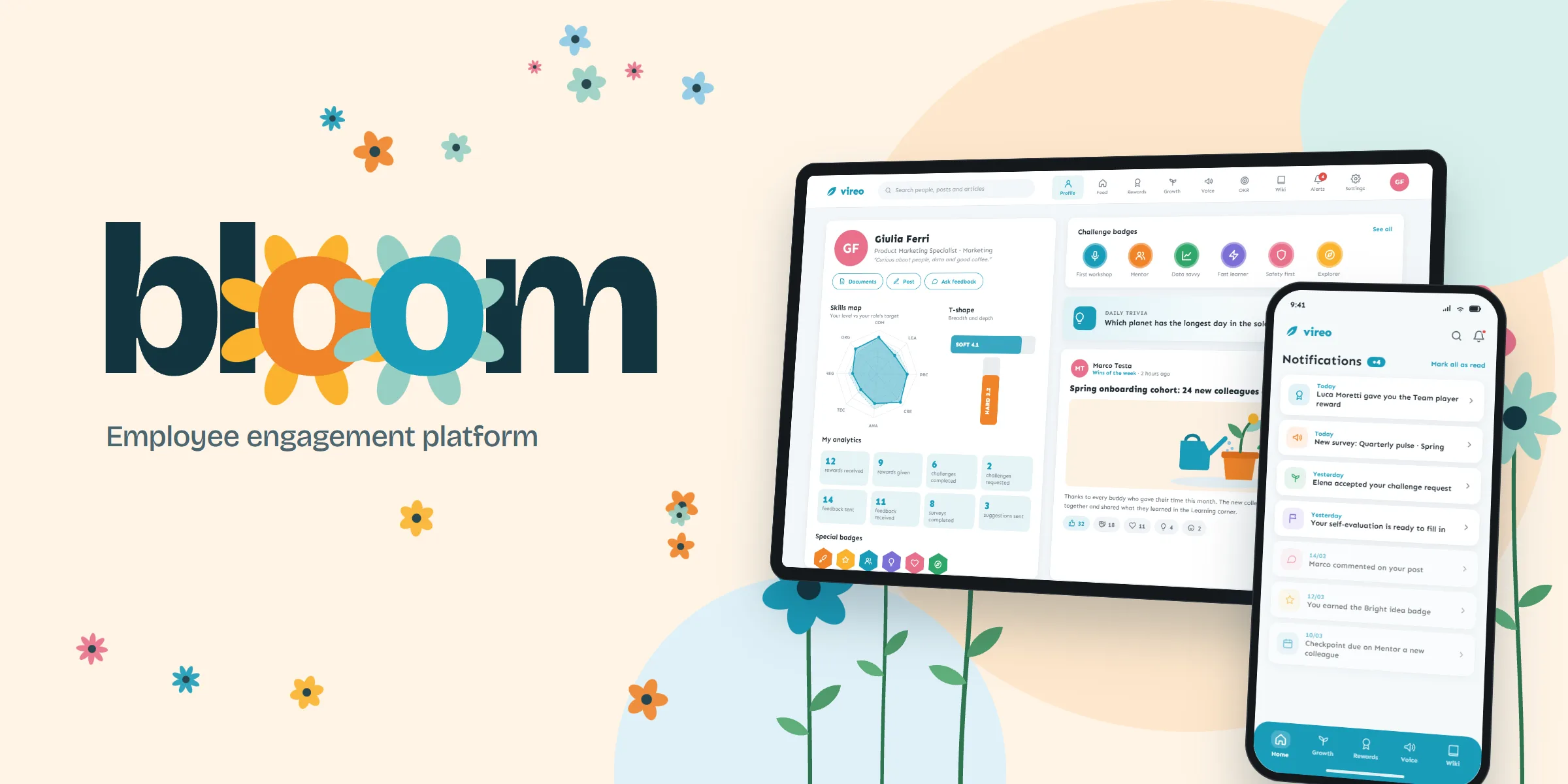
Large companies want to know how their people feel, help them grow and thank them for good work, but these things usually live in separate tools, yearly surveys and email threads. Bloom brings them into one place: a social feed, peer rewards, growth challenges, surveys, objectives and a company wiki for employees, and a workspace where HR and managers see what is happening and act on it.
Bloom is sold to companies as a white-label product, so each client gets its own workspace with its colours, its logo and the modules it needs, and its people use it on the web and on their phones.
One platform, many companies
Each client company is different: a few hundred office workers in one case, shift workers spread across many sites in another. The platform had to:
- Mirror the real organisation, with teams nested inside teams, managers who see their own branch and HR who sees everything.
- Make engagement part of the day, with small actions such as thanking a colleague, updating a challenge or answering a pulse survey.
- Turn activity into analytics HR can read: adoption, engagement, sentiment and how teams work together.
- Run reviews and surveys without a separate tool for each campaign.
- Adapt to each client with its own brand and modules, without a separate codebase.
- Fit company IT: Microsoft single sign-on, directory sync and bulk user imports.
What employees see
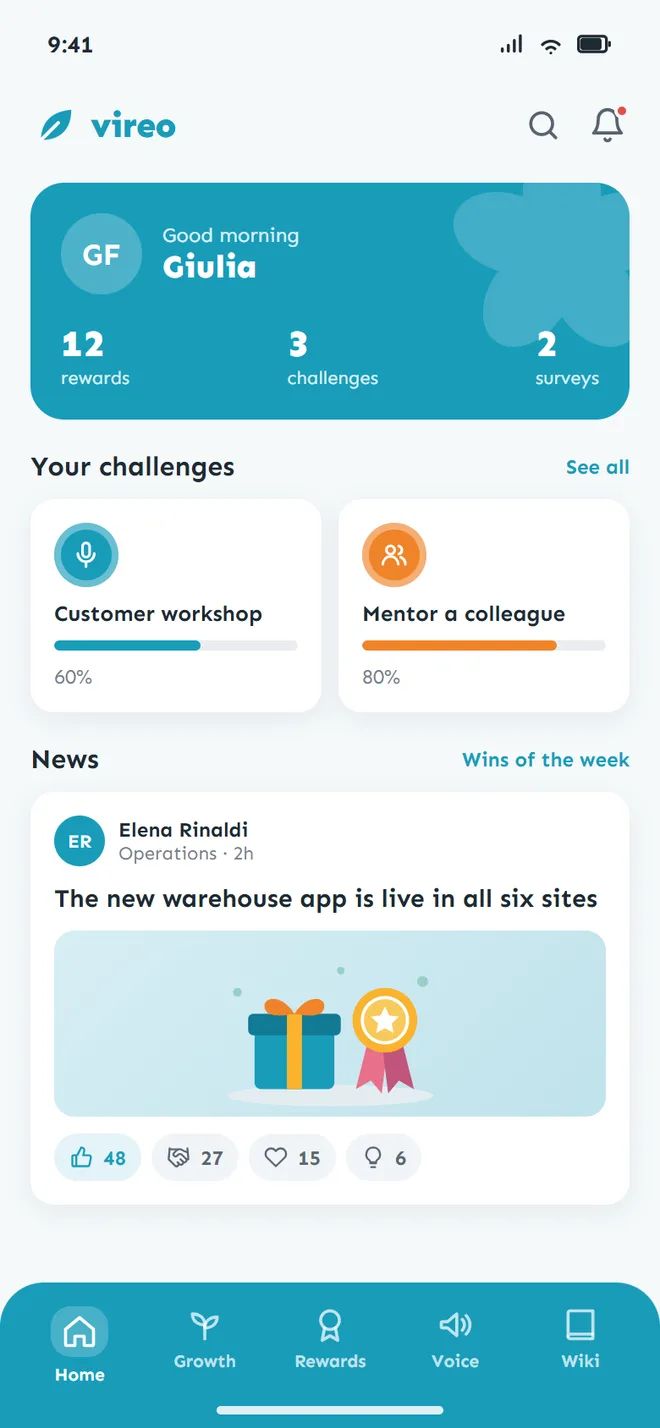
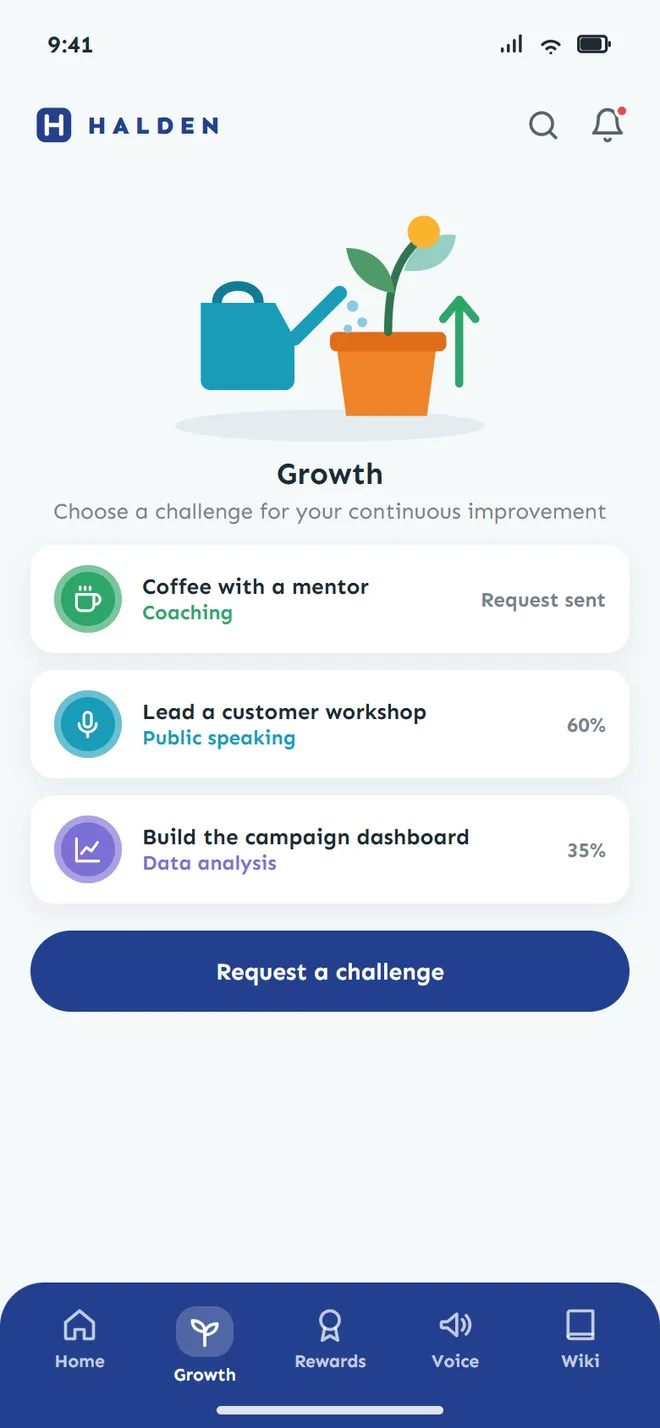
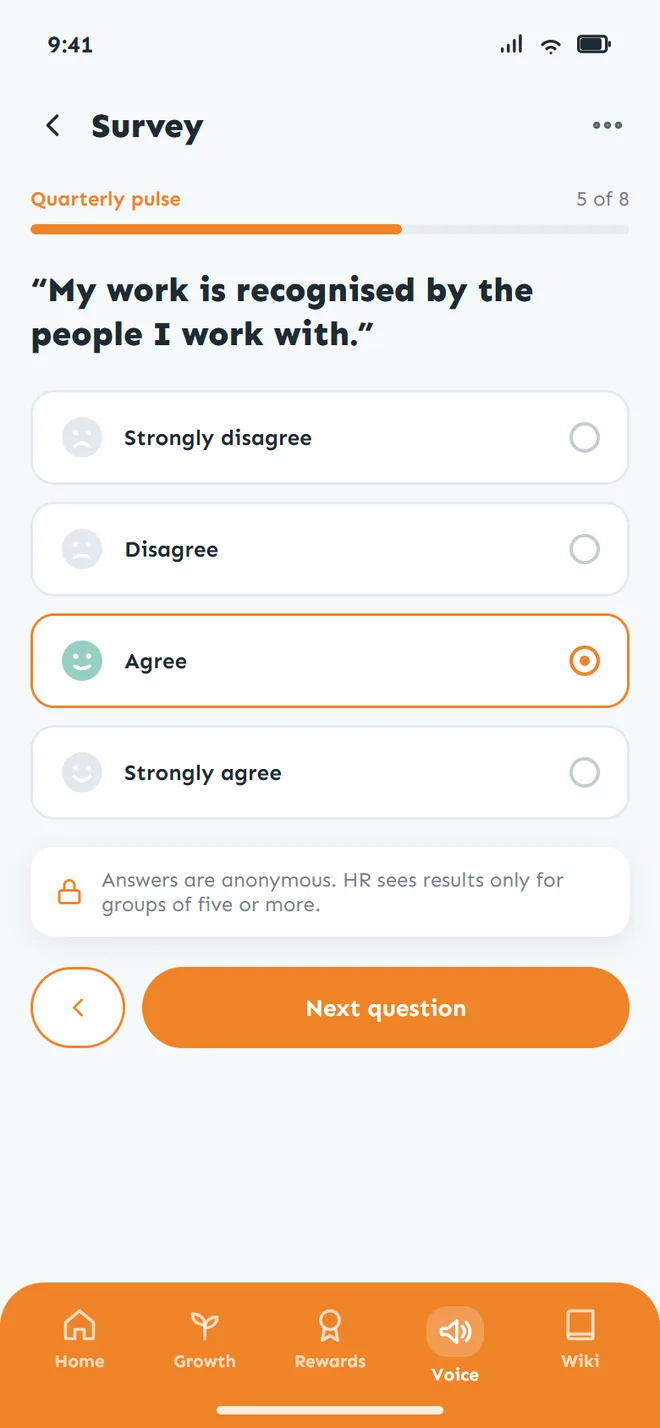
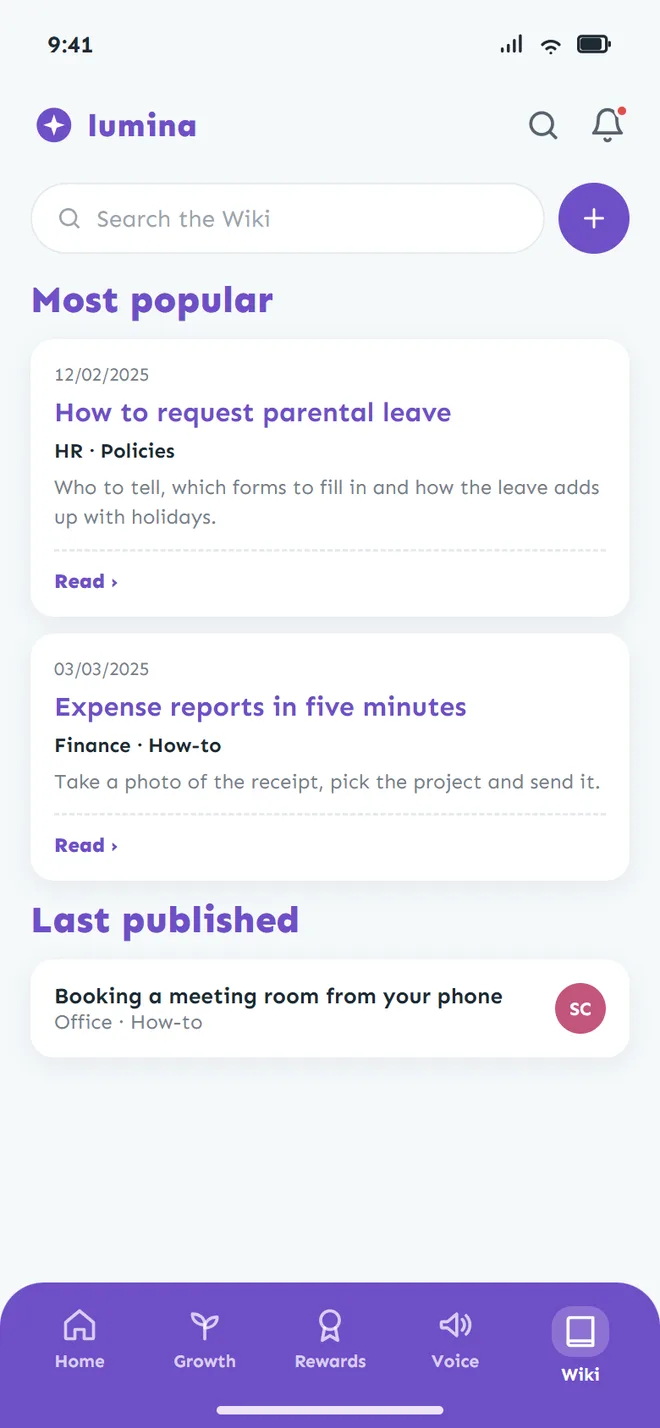
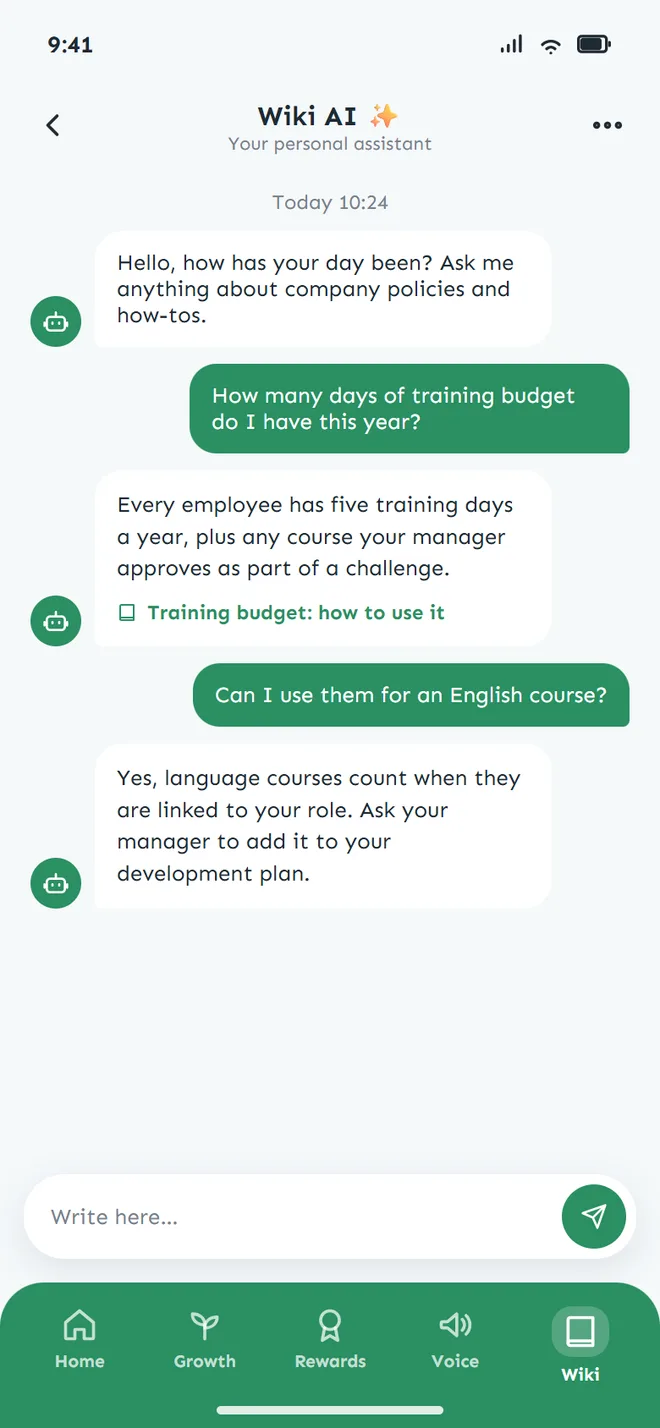
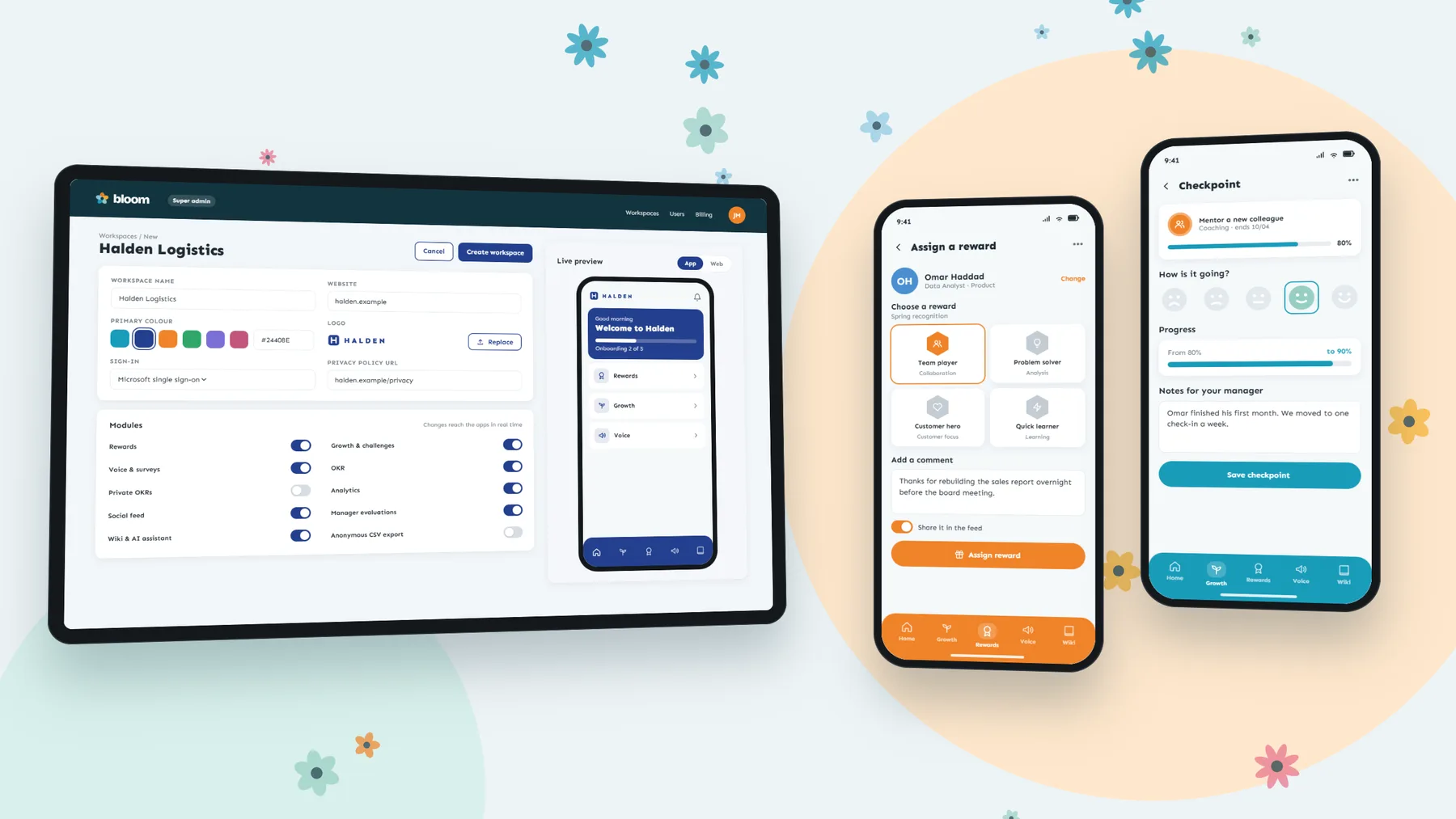
Every employee has a profile with a skills map against the targets of their role, the badges they earned and a summary of their activity. From there they move between the modules their company turned on: a feed organised in channels with reactions and comments, rewards to thank a colleague and link the thanks to a skill, growth challenges agreed with their manager and followed through checkpoints with progress and mood, surveys and suggestions, company and team objectives, and a wiki with an AI assistant that answers from the company's own articles. The phone apps cover the same ground with push notifications.
What HR and managers see
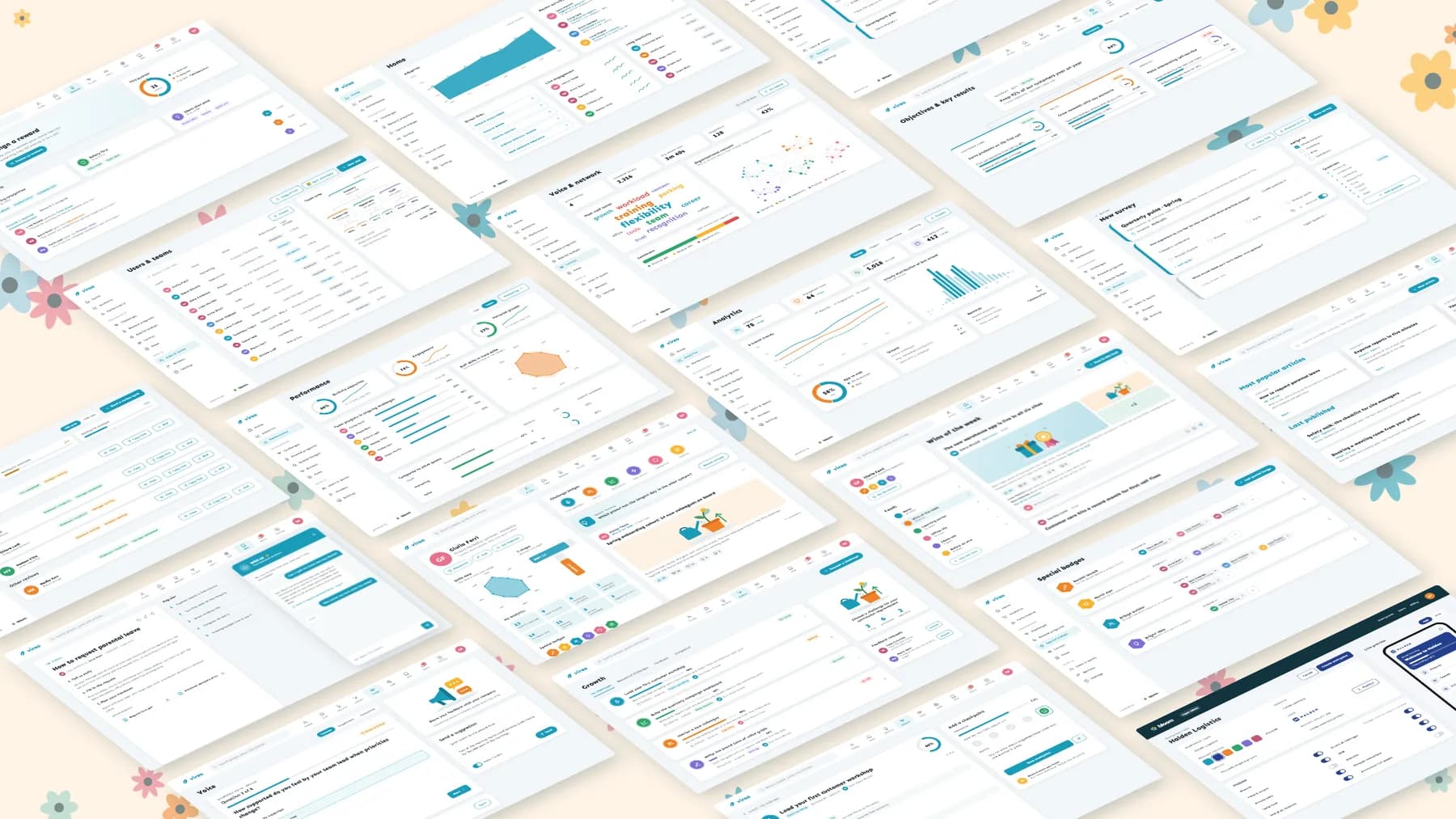
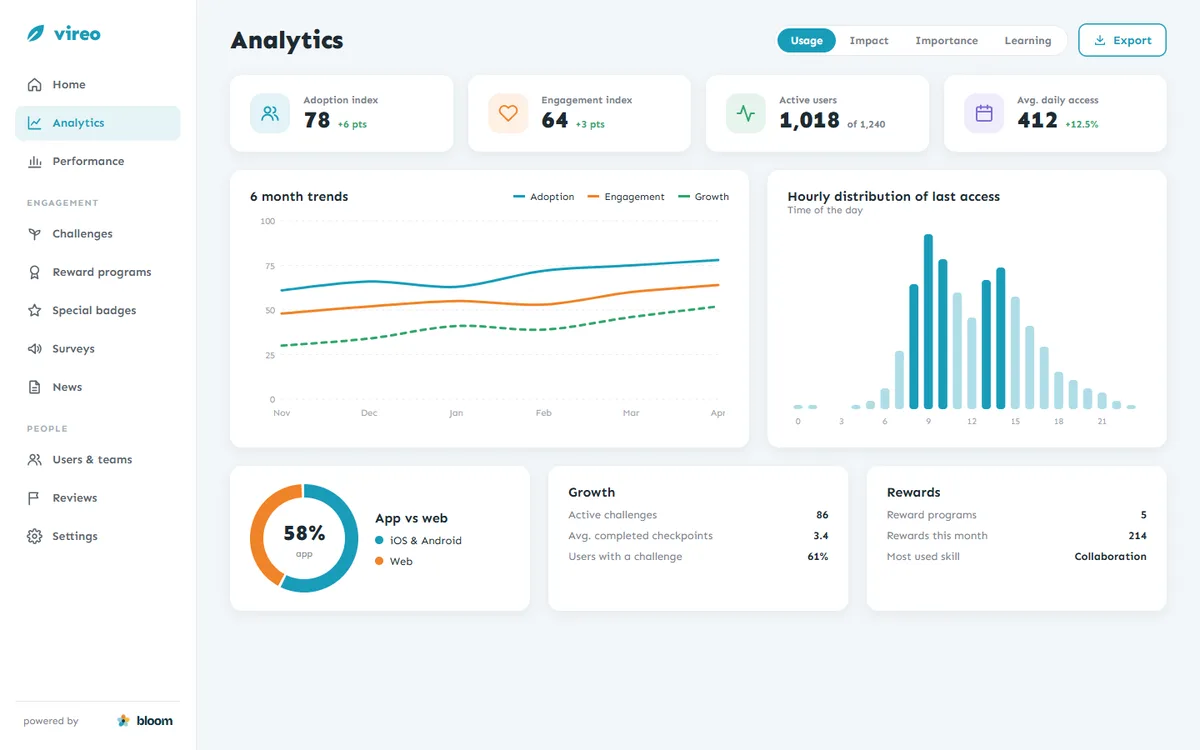
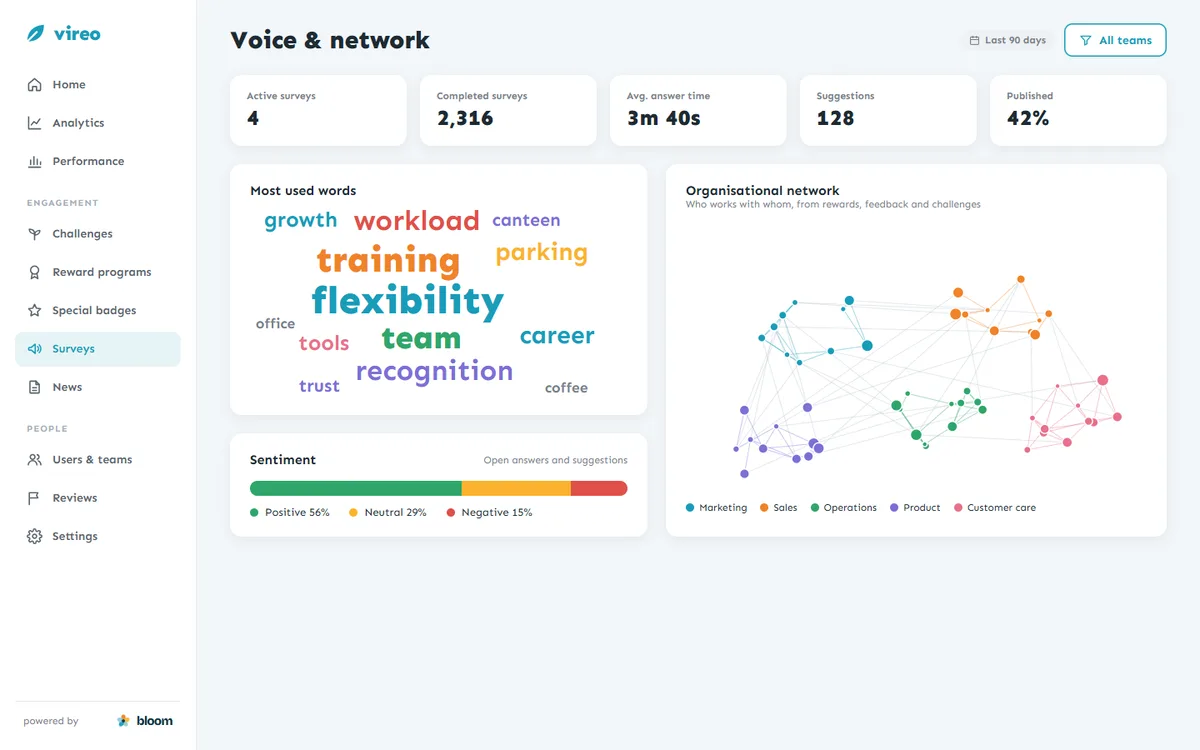
HR works in an admin workspace. The home shows adoption over time, recent activity, colleagues who have been inactive for a while and shortcuts to create a challenge, a news post, a survey or a special badge. Analytics go deeper: adoption and engagement indexes, when people use the platform and on which device, the words that come up most in open answers and their sentiment, and an organisational network built from rewards, feedback and challenges that shows how teams actually work together. Managers see the same views limited to their own branch of the organisation.
Surveys and reviews
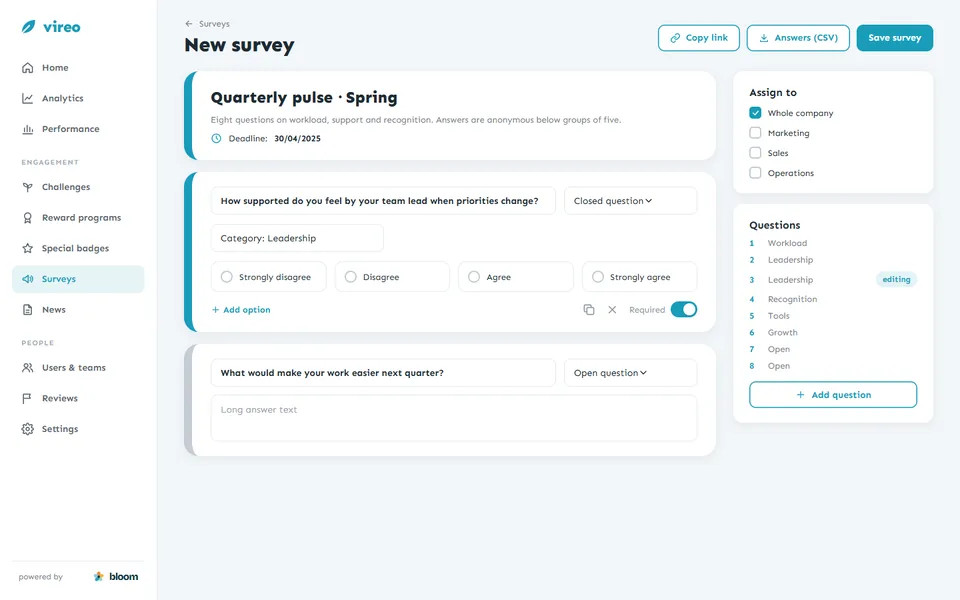
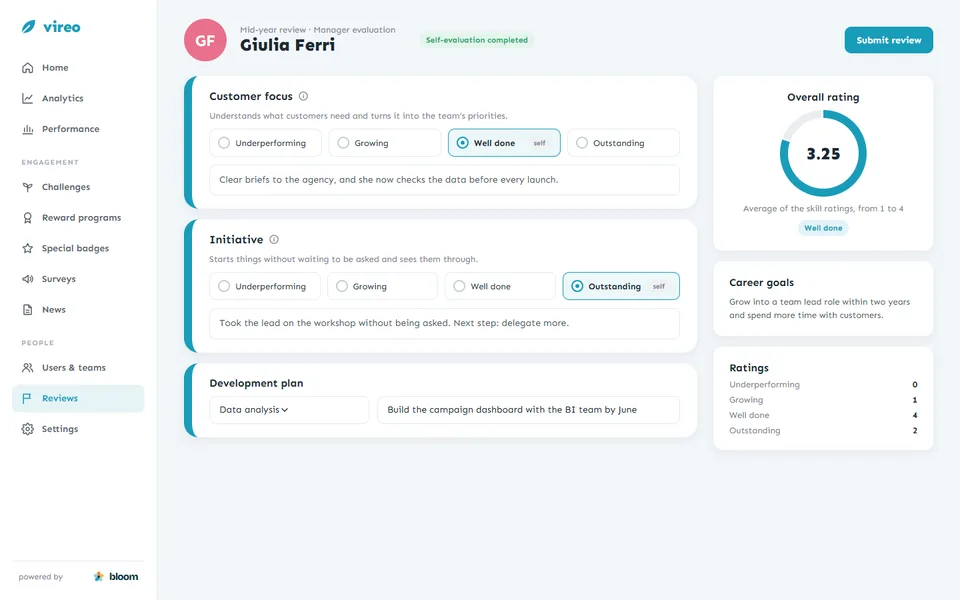
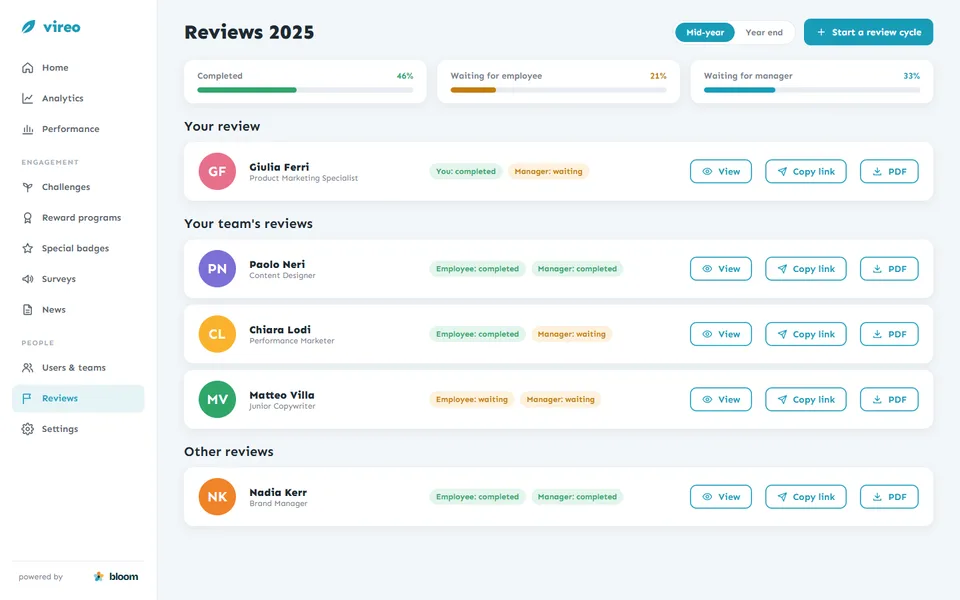
Two campaign tools run inside the same platform. HR builds a survey from open and closed questions, assigns it to the whole company or to some teams, shares a link and downloads the answers. Reviews follow the company's skills model: the employee fills in a self-evaluation, the manager rates each skill on a four-step scale with notes, and the review ends with an overall rating, a development plan and career goals, ready to print as a PDF.
A workspace for each company
Every client company is a workspace. When I set one up, I chose its primary colour and logo, its sign-in method and privacy policy, and switched on the modules it had bought: rewards, growth, voice, OKRs, analytics, the social feed, manager evaluations, the wiki. The apps pick up the changes in real time, so an employee opening the app sees their own company's colours and only the sections their company uses. Underneath, the teams form a tree that copies the client's hierarchy, which decides what each manager can see.
How I built it
I worked across the whole stack, from the database to the phone apps, and kept the platform running in the cloud.
Back end
The core platform runs on PHP and Symfony with Doctrine, Twig and MySQL, with Redis queues for notifications and emails. Newer services use NestJS with Drizzle and Python with FastAPI, SQLAlchemy and Strawberry, exposed through REST and GraphQL APIs.
Web apps
The employee web app and the HR workspace mix the original Twig and jQuery pages, with Chart.js, d3 and Cytoscape for analytics and the network graph, and newer Next.js, React and TypeScript apps built with Tailwind, shadcn/ui and Apollo GraphQL.
Mobile
Apps for iOS and Android, first in Flutter and then in React Native with Expo and NativeWind, with Microsoft sign-in and push notifications through OneSignal.
Data and AI
An analytics engine on PostgreSQL and MongoDB feeds the HR dashboards. The wiki assistant answers with OpenAI models grounded in the company's own articles.
Cloud and integrations
Docker on AWS (ECS, ECR, S3, CloudFront, Cognito, SES, CloudWatch), deployed with GitHub Actions. Azure Active Directory for single sign-on and directory sync, SendGrid and SES for email, Cypress and k6 for end-to-end and load tests.
Design
I turned new requests into flows and screens on top of the platform's design system, so every module and every workspace kept the same components.
Working with client companies
I was the single point of contact for the client companies, from the first setup to the requests that came in once their people were using the platform.
Map the organisation
With HR, we listed teams, roles, seniority levels and the skills each role requires, and decided who sees what.
Set up the workspace
I configured brand, sign-in, privacy and modules, and imported the users from CSV files or synced them from the company directory.
Launch the first programs
Together with HR, we created the first reward programs, challenges and surveys, so people found something to do on day one.
Support and listen
I answered questions from HR and managers, tracked bugs and collected requests for new features.
Build what was missing
Requests that made sense for more than one company went into the product for everyone, behind a module switch when only some clients needed them.
Why it works
Goal-Gradient Effect
People speed up as they get closer to a goal. Challenges show progress at every checkpoint and the reward waiting at the end, so the last steps feel within reach.
Jakob's Law
Users spend most of their time on other apps. The feed works like the social networks people already know, with channels, reactions and comments, so nobody needs a tutorial.
Peak-End Rule
People remember the most intense moment and the end of an experience. A reward arrives with a personal comment, can be shared in the feed and stays on the profile as a badge.
A platform in daily use
Bloom runs as one platform for several client companies, each in its own workspace with its own colours, modules and hierarchy. Employees use it on the web and on their phones to thank colleagues, follow their challenges and answer surveys, and HR uses the same data to plan programs, run reviews and see how teams work together.