Marquee
Two web tools for one of Italy's leading film and TV production companies and its commercials division: an ERP that follows every commercial from tender to shooting, and an AI studio that speeds up scouting, moodboards and storyboards. I led the team that designed and built them.
- Role
- Team Leader & Project Manager
- Year
- 2025
Behind the camera
A production company that makes films, TV series and commercials runs on two kinds of work. One is organisation: tenders, deadlines, directors, actors, locations, rights and contracts. The other is ideas: which story to adapt next, what a scene should look like, how to explain it to a client before anything is shot.
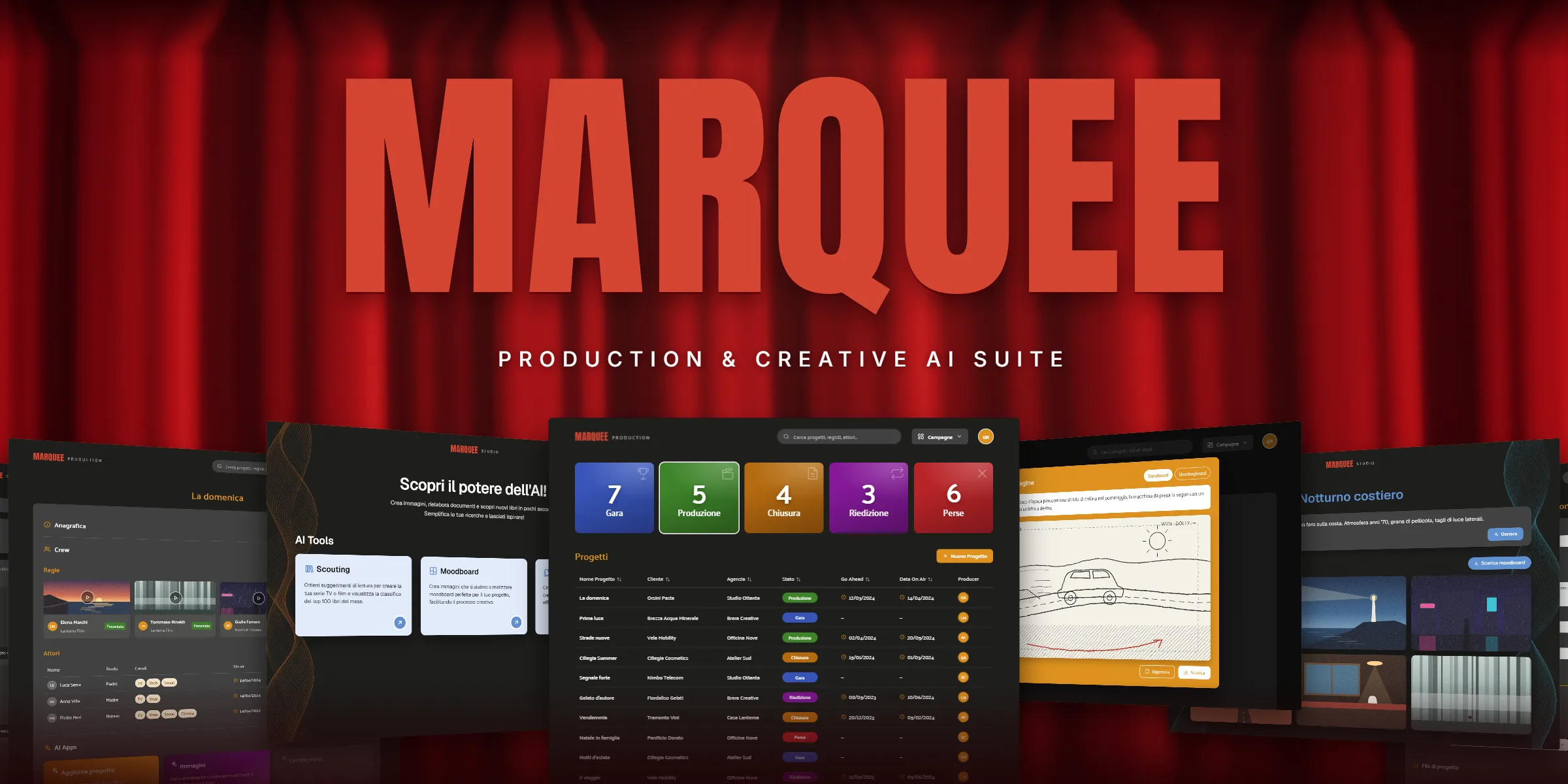
Marquee brings together the two tools my team built for one of Italy's leading film and TV production companies and its commercials division: a production ERP that holds every project in one place, and an AI studio that helps the creative teams get from an idea to something they can show.
One company, two ways of working
Producers lived in spreadsheets, shared folders and email threads, while writers and creatives spent days on research and references before a project could even be pitched. The work had to:
- Give every commercial one sheet, from the first tender to the go ahead and the shooting, with client, agency, crew, locations and files together.
- Show the whole slate at a glance, so a producer knows how many projects are in tender, in production, closing or lost.
- Keep rights under control: actors, music and voice-overs, with channels, on-air dates and expiry dates.
- Cut the manual data entry, letting AI read a brief or a call recording and fill in the project.
- Speed up creative prototyping with storyboards, moodboards and book scouting for future series and films.
- Fit the company's own tools: single sign-on, the shared drive the teams already used, and phones on set.
The production desk
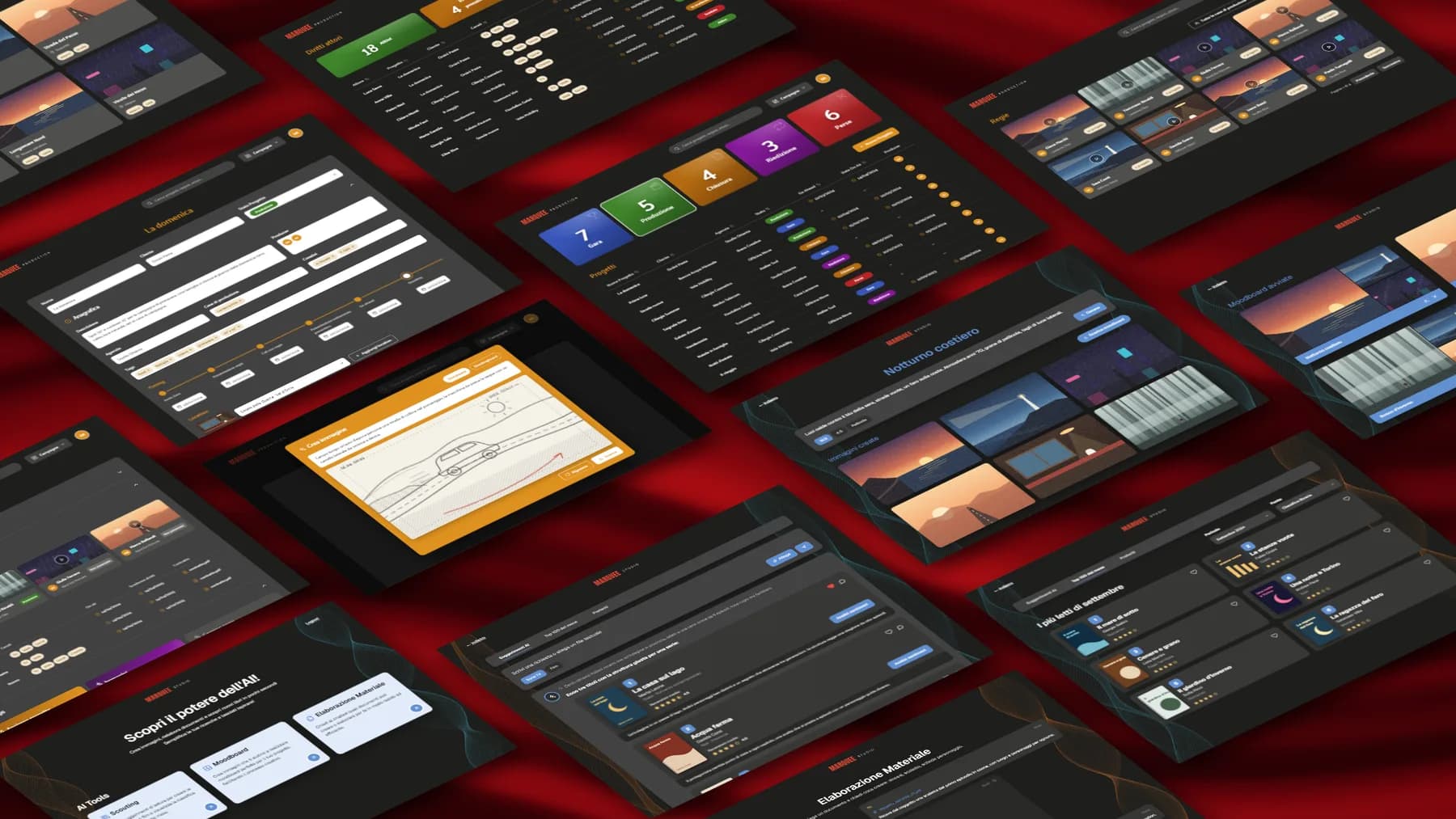
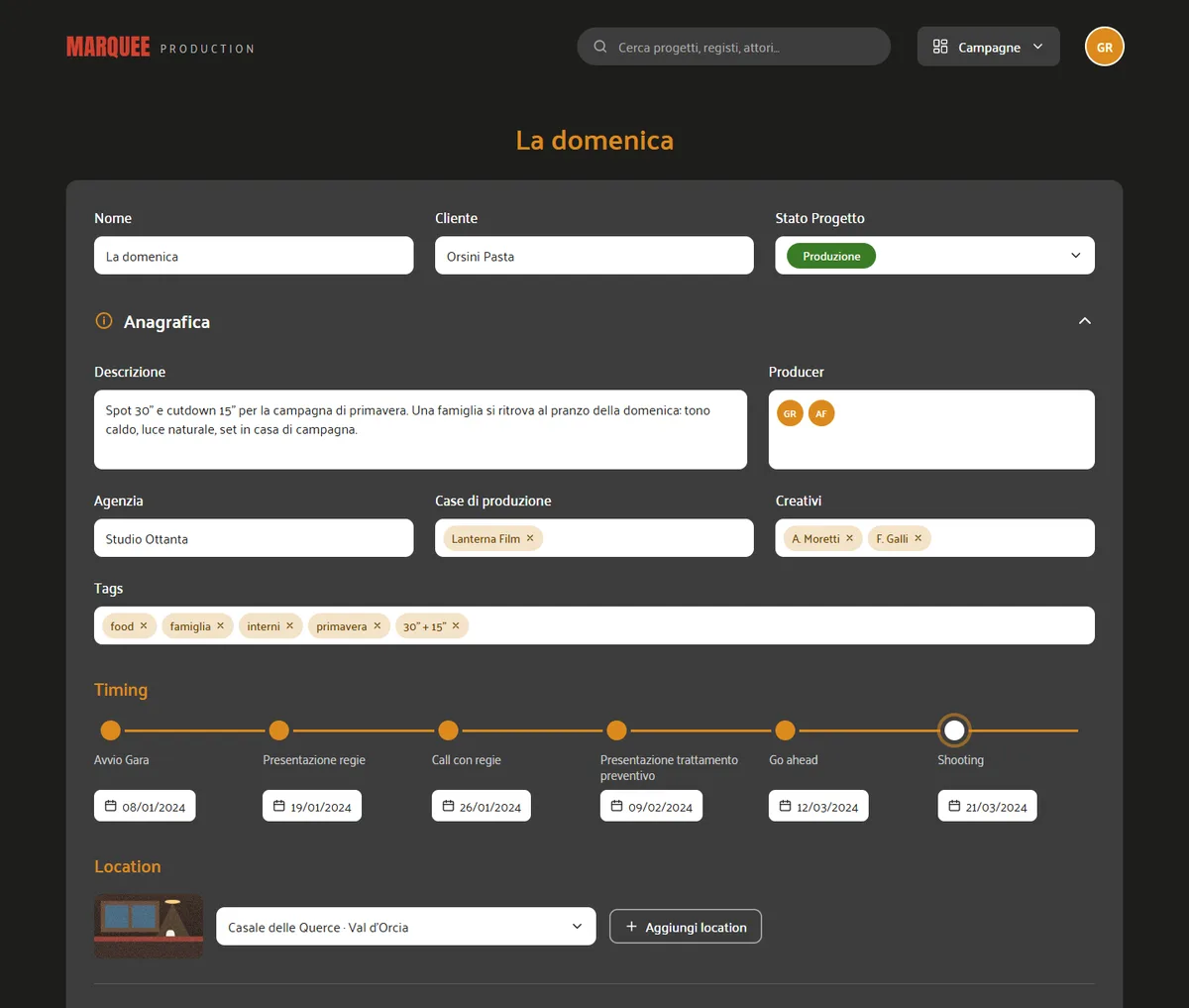
The ERP opens on the company's slate: five status cards (tender, production, closing, re-edition, lost) that also filter the project table below. Each project has its own sheet, with an accordion for the registry, the timing from tender to go ahead, the crew and the files. Directors are tracked as presented or not presented with their reels, and actors with their channels, on-air dates and contracts. When a project is created, its folders on the shared drive are created with it, and the app installs on a phone for producers on set.

AI inside the workflow
Inside the ERP, AI takes on the slowest parts of starting a commercial.
Read the brief
The producer uploads the agency brief or the recording of the kick-off call. Audio is transcribed first, then the model extracts client, agency, description, dates and tags.
Confirm the fields
Every extracted value is shown next to its field with a checkbox. The producer keeps what is right and the project sheet fills itself in.
Sketch the shot
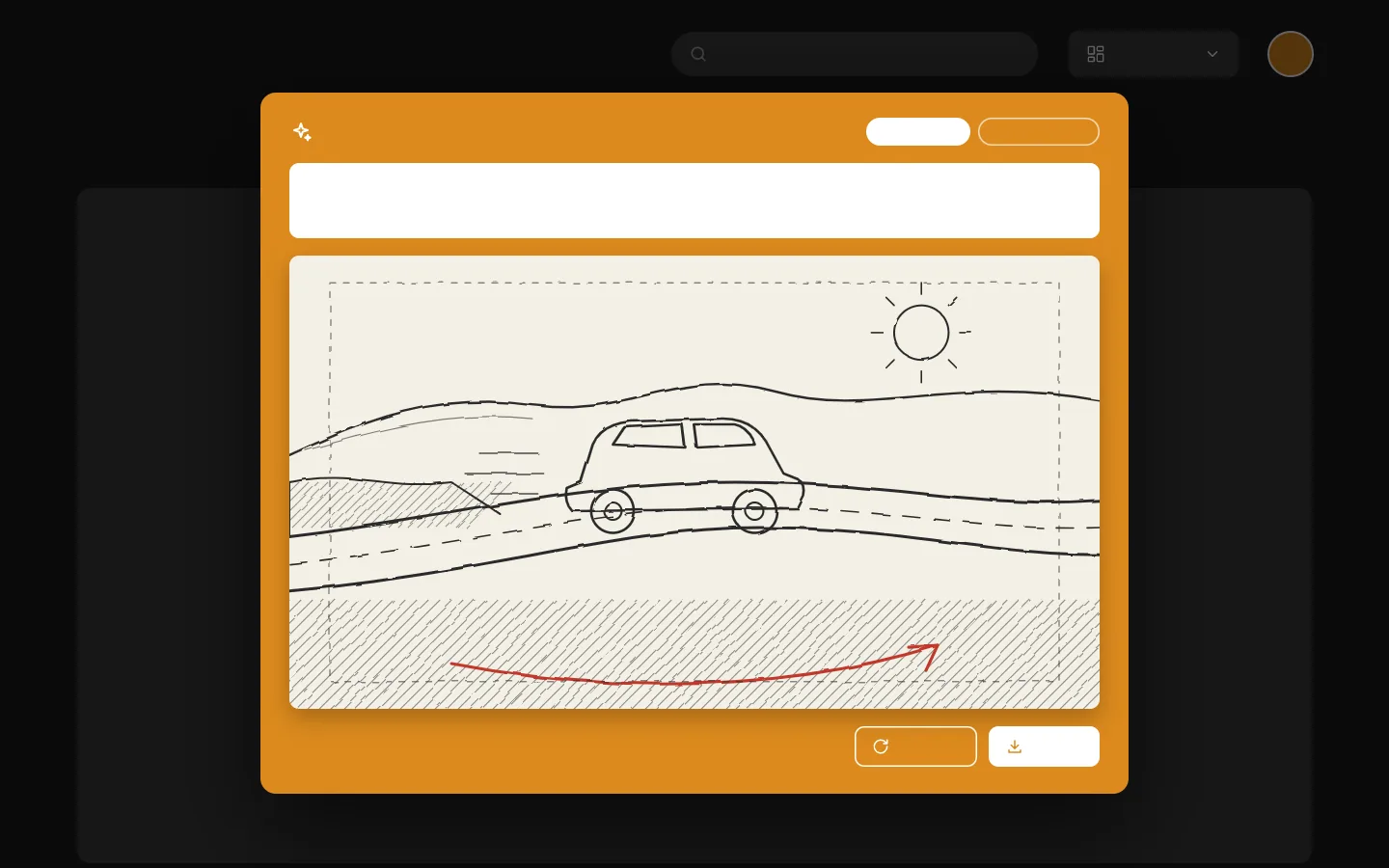
From a short description of a scene, the image tool draws a storyboard or a shootingboard frame, saved with the project and ready for the treatment.
A studio for ideas
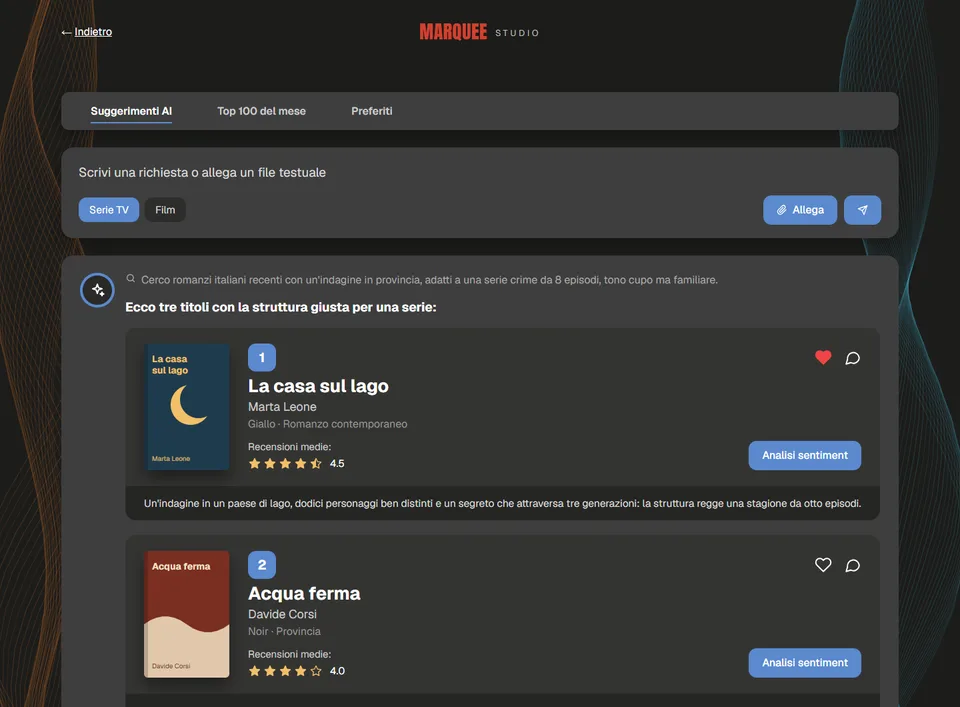
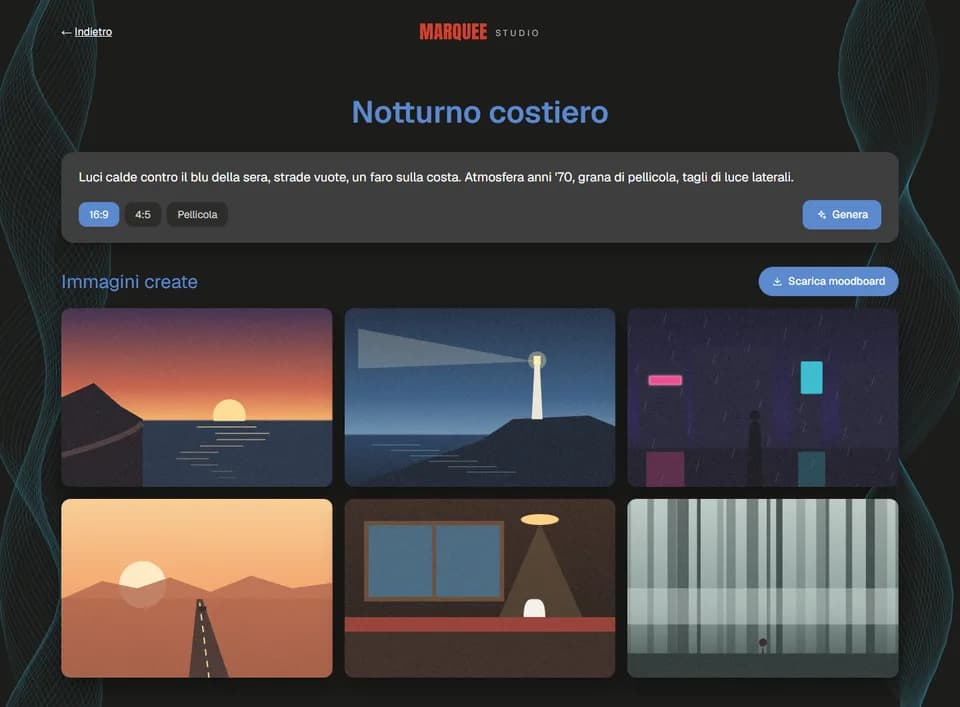
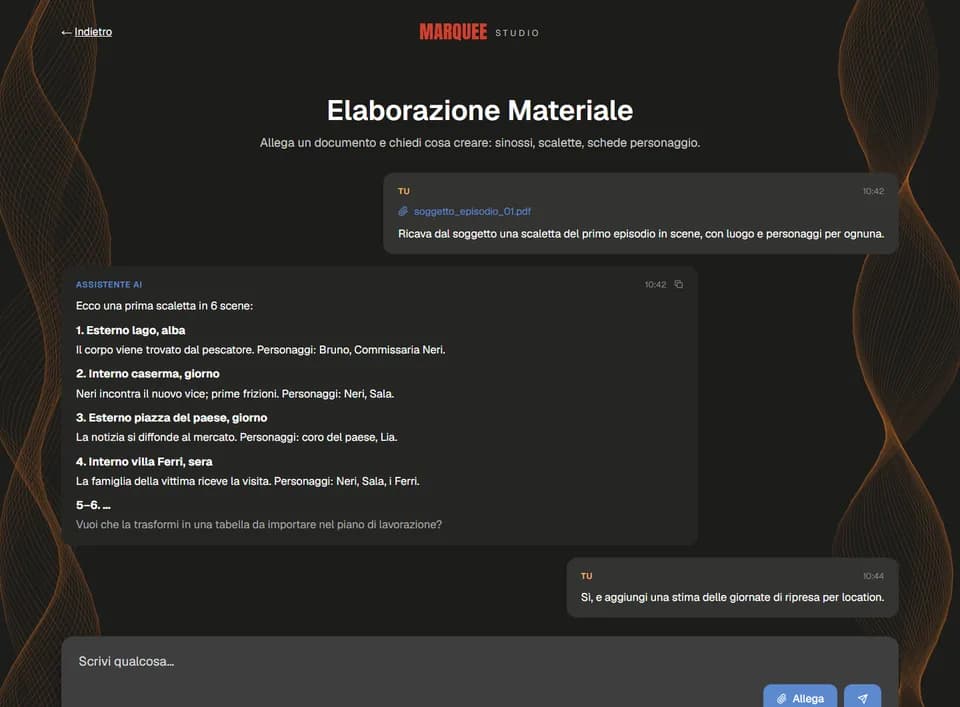
The second tool is for the people who develop series and films. Three AI tools sit behind a simple home page: scouting suggests books worth adapting, explains why each one could work as a series or a film and shows the month's top 100 with review sentiment; moodboards turn a written mood into a set of reference images; and a document assistant turns a treatment or an episode outline into synopses, scene lists and character sheets.
How I led the team
I ran both products as team leader and project manager, between the company's producers and creative teams on one side and the people building the tools on the other.
Product and backlog
I gathered needs from producers and creatives, turned them into a roadmap and kept one backlog ordered by what saved them the most time.
Design
I set the direction for both interfaces: a dark, colour-coded desk for production work and a lighter, card-based studio for creative tools.
Development and AI
I organised the work of the developers across front end, back end and AI services, and reviewed each feature against the producers' real workflow before release.
Cloud and security
Separate staging and production environments, infrastructure as code and single sign-on with the company accounts, so the tools could hold contracts and rights safely.
Two tools in daily use
The production desk keeps the commercials division's slate, crews, rights and files in one place, and the AI studio gives the creative teams a faster way from an idea to a reference, a frame or a list of scenes. Both kept growing after launch, with new fields, flows and AI tools added as the teams asked for them.